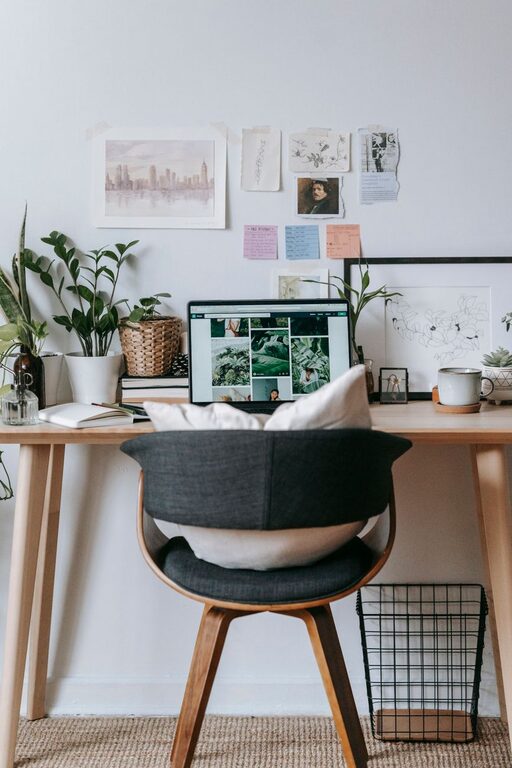
Creating a comfortable and productive home office space is essential for anyone working remotely or spending significant time at home on work tasks. A well-designed workspace can improve focus, reduce physical discomfort, and help maintain a healthy work-life balance. If you’re looking to optimize your home office, here are some practical tips to consider.
Choose the Right Location
The first step in setting up a productive home office is selecting the best spot. Ideally, this space should be quiet and free from distractions.
– Find a low-traffic area: A room or corner away from household noise will help you concentrate.
– Natural light: Try to position your desk near a window to take advantage of daylight, which can boost mood and reduce eye strain.
– Consider privacy: If possible, use a space you can close off during work hours to separate work from home life.
Invest in Ergonomic Furniture
Your comfort while working directly impacts productivity. Good furniture supports proper posture and reduces strain.
– Ergonomic chair: Look for adjustable features, lumbar support, and cushioning.
– Desk height: Your desk should allow your elbows to bend at a 90-degree angle when typing.
– Monitor placement: Position your computer screen at eye level to avoid neck strain. A monitor stand or a stack of books can help if needed.
Organize Your Workspace
Clutter can distract and slow you down. Keeping your workspace tidy helps you focus and find what you need.
– Use storage solutions: Shelves, drawers, and filing cabinets keep supplies and documents organized.
– Minimize clutter on your desk: Only keep daily essentials within reach.
– Cable management: Use clips, sleeves, or ties to keep cords neat and untangled.
Optimize Lighting
Proper lighting reduces eye strain and keeps you alert.
– Natural light is best: As mentioned, set up near a window if possible.
– Supplement with task lighting: A desk lamp with adjustable brightness can provide focused lighting for detailed work.
– Avoid glare: Position screens and lights to prevent shining directly into your eyes or reflecting off surfaces.
Personalize Your Space
Adding personal touches can make your office inviting and boost creativity.
– Add plants: Greenery improves air quality and adds a calming effect.
– Decorate with art or photos: Choose inspiring or calming images to display.
– Use colors wisely: Soft, neutral colors help reduce stress, while bright accents can energize.
Set Boundaries and Routines
A clear routine and boundaries help you stay productive and prevent burnout.
– Define work hours: Stick to a schedule so you know when to focus and when to relax.
– Take breaks: Stand, stretch, or walk around every hour to keep your body and mind refreshed.
– Communicate with household members: Let others know your work schedule to minimize interruptions.
Ensure Good Technology Setup
Reliable tech is crucial for a smooth workflow.
– Stable internet: If possible, connect your computer via Ethernet for a faster and more reliable connection.
– Backup power: A surge protector or UPS (Uninterruptible Power Supply) can protect your devices during power fluctuations.
– Quality peripherals: Invest in a good keyboard, mouse, and headset for comfort and better communication.
Keep Healthy Habits in Mind
Your workspace should support your well-being overall.
– Hydration station: Keep a water bottle nearby to stay hydrated.
– Healthy snacks: Avoid junk food by having nutritious snacks within reach.
– Movement: Consider using a standing desk or alternating sitting and standing positions.
—
Creating a home office space tailored to your needs makes remote work more enjoyable and effective. By choosing the right location, investing in ergonomic furniture, keeping your area organized, and managing your routine, you can build a productive environment that supports your best work. Remember, small changes can make a big difference over time. Happy working!