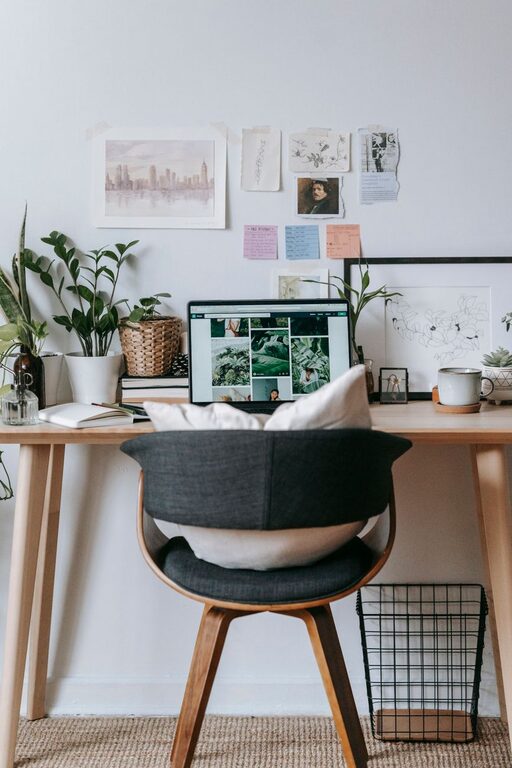

Creating a clutter-free workspace at home is essential for boosting productivity, reducing stress, and maintaining focus throughout your workday. Whether you’re working remotely full-time or just need a dedicated area for occasional tasks, a clean and organized workspace can make all the difference. Below are practical tips and strategies to help you establish an efficient and tidy home office that invites creativity and focus.
Why a Clutter-Free Workspace Matters
A cluttered desk can distract the mind and disrupt your workflow. When your workspace is organized, it’s easier to locate items, manage tasks, and focus on the work at hand. An orderly environment sets the tone for productivity and can even positively affect your mood.
—
Step 1: Choose the Right Location
Pick a dedicated space. Whether it’s a corner of your living room, a spare bedroom, or a small nook, having a designated area for work helps separate your professional and personal life. Make sure the space has good lighting and enough room for your work essentials.
—
Step 2: Declutter Ruthlessly
– Sort through all items: Take everything off your desk and sort into categories: keep, toss, or relocate.
– Get rid of unnecessary items: Papers, tools, or gadgets you never use should be recycled or donated.
– Limit personal items: While a few family photos or plants can brighten the space, try to keep personal belongings minimal to maintain focus.
—
Step 3: Use Smart Storage Solutions
Invest in storage organizers such as:
– Drawer dividers to keep small supplies in place
– Desk trays or file holders to sort paperwork and documents
– Shelving units or bookcases to store books and office equipment
– Cable management clips or sleeves to minimize wire clutter
Having designated spots for everything keeps your desk clear and helps you maintain order daily.
—
Step 4: Keep Only Essential Tools on Your Desk
A clean workspace means fewer distractions. Limit what stays on your desk to:
– Your computer or laptop
– A notepad or planner
– Your favorite writing instruments
– A water bottle or coffee cup
– A small personal item like a plant or photo
Store other machines or supplies in drawers or shelves where they’re easily accessible but don’t crowd the surface.
—
Step 5: Organize Digitally
Clutter isn’t only physical; your digital workspace counts too.
– Organize files into folders: Create clear folders and subfolders for work documents.
– Clean your desktop regularly: Avoid hoarding files and shortcuts on your computer screen.
– Use cloud storage: This helps backup important files and frees up local device space.
—
Step 6: Maintain a Daily Routine
Organization isn’t a one-time task. To keep clutter at bay:
– End each day with a quick tidy-up. Put away loose papers and arrange your tools.
– Review your to-do list daily to stay on top of tasks, which reduces piles of unfinished work.
– Set a weekly deeper clean: Wipe down surfaces, empty trash, and reorganize as needed.
—
Step 7: Personalize Selectively While Staying Functional
A workspace should feel inviting but not overwhelming. A few ideas include:
– Adding a small plant for freshness.
– Using a desk lamp with warm light for comfort.
– Hanging a calendar or whiteboard for planning.
By balancing decor and functionality, your workspace will be pleasant without inviting distractions.
—
Additional Tips for Success
– Use vertical space: Wall-mounted shelves or pegboards keep items off your desk but within reach.
– Implement labeling: Label storage boxes or files to save time searching.
– Choose multi-purpose furniture: Desks with built-in storage optimize space.
– Limit digital distractions: Turn off non-essential notifications while working.
—
Conclusion
Organizing a clutter-free workspace at home improves your efficiency and well-being. By choosing the right location, decluttering regularly, using smart storage, and maintaining good habits, you can create a functional and inspiring environment. Remember, the key is consistency. A little effort every day keeps the clutter away and your productivity high. Start with these simple tips today and enjoy the benefits of an organized home office.